
Why UX/UI Design Matters for Conversions and Trust

Table of Contents
Key Takeaways
- Good UX directly boosts conversions by removing friction and improving clarity.
- Clean layouts and intuitive flows create instant trust with visitors.
- UX improvements support SEO by reducing bounce rates and improving engagement.
- Small businesses benefit most from simple, user-focused UX updates.
When small businesses try to improve their online presence, they often focus on SEO, ads, or content first. But none of those matter if users land on your site and feel confused, overwhelmed, or unsure of what to do next.
That’s where UX and UI design come in.
Strong UX helps users complete tasks effortlessly. Strong UI makes your brand feel more polished and trustworthy. Together, they create the kind of experience that keeps people on your site longer — and converts more visitors into customers.
What Good UX Actually Means
UX design is about creating a smooth, intuitive experience. It’s not about flashy visuals — it’s about guiding users naturally from point A to point B.
Good UX often includes:
- a clean navigation structure
- clear page hierarchy
- simple, scannable layout
- fast loading times
- mobile-friendly design
- consistent patterns users recognize
UI design then enhances that flow with visual clarity, spacing, and branding.
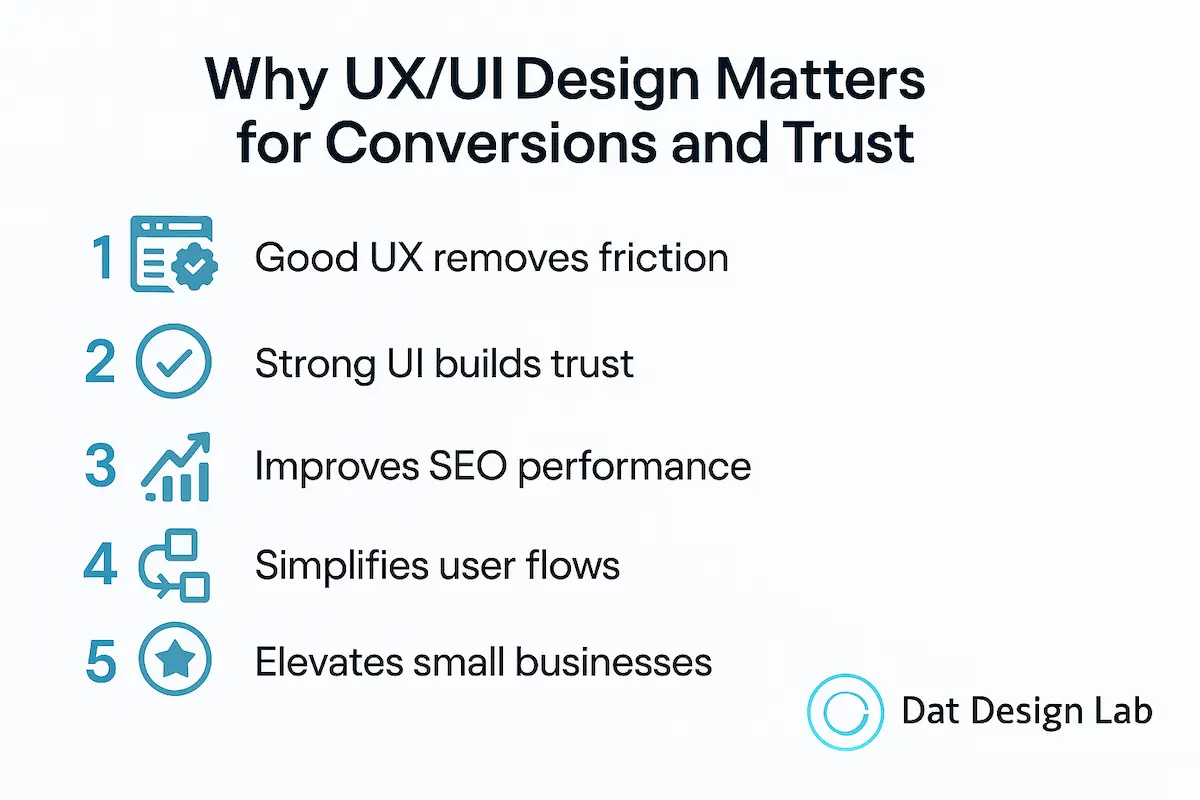
1. Good UX Removes Friction — and Friction Reduces Sales
Every confusing element is a reason for a user to leave.
These are some of the most common friction points I find during UX audits:
- CTAs hidden or competing with other elements
- text-heavy layouts with no visual hierarchy
- unclear navigation
- forms that ask for too much info
- slow-loading pages, especially on mobile
Fixing friction is often the fastest route to higher conversions — much faster than rewriting content or redesigning the whole site.
2. Strong UI Builds Trust in Seconds
Users make trust decisions almost instantly. A site that looks outdated, inconsistent, or cluttered triggers doubt.
Poor UI makes users wonder things like:
- “Is this business legitimate?”
- “Is my payment safe?”
- “Is this company professional?”
A clean interface instantly signals confidence and reliability — which directly affects whether users complete an action.
3. UX Has a Direct Impact on SEO
Google tracks user interaction patterns, and bad UX leads to bad signals:
- high bounce rate
- low time on page
- poor mobile usability
- slow loading
- weak engagement
These are all factors that can lower your rankings, even if your content is strong.
Good UX means users stay longer, explore more pages, and convert — and Google rewards that behavior.
4. Intuitive User Flows Lead to More Conversions
Most users won’t hunt around your site to find what they need. Your layout should make decision-making simple.
A strong UX flow looks like this:
Homepage → Value → Proof → Service → CTA
Many websites unintentionally create the opposite:
Homepage → Confusion → Random clicking → Back button → Goodbye
Designing smooth user flows is one of the easiest ways to increase conversions without adding new features or rewriting your entire website.
5. Good UX Makes Small Businesses Feel Premium
You don’t need an enterprise budget to look like an enterprise brand.
A focused, minimal, user-first design often performs better than complex visuals. Small improvements like spacing, layout structure, and consistent design patterns can elevate your brand dramatically — and make users feel like they’re in good hands.
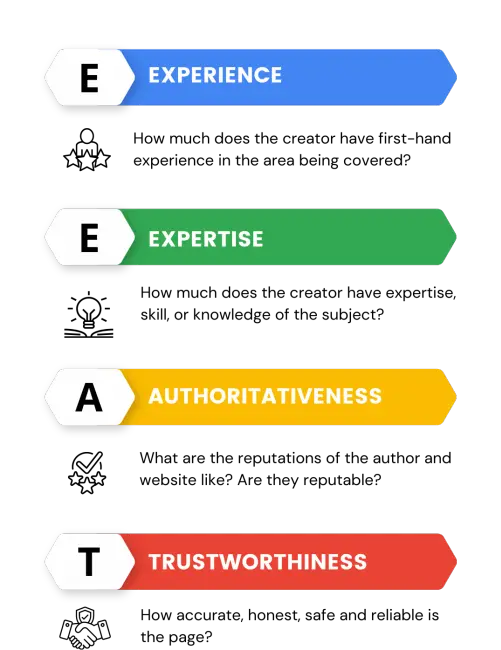
My UX/UI Process (E-E-A-T Builder)
1. Discovery: I learn about your business goals, audience, and friction points.
2. UX Audit or IA Plan: I analyze user flows, navigation structure, and layout clarity.
3. Wireframes: I create simple, clean blueprints that focus on usability.
4. UI Design System: I apply a consistent visual language with color, spacing, typography, and components.
5. Prototyping: Interactive mockups allow testing before development — saving time and reducing revisions.
This ensures every project has a clear, intentional structure from the start.
Final Thoughts — UX/UI Isn’t Decoration — It’s a Business Tool
Good UX and UI design:
- improve engagement
- boost conversions
- build trust
- strengthen your brand
- support your SEO strategy
If you want your website to perform better, UX should be one of the first things you optimize.
You don’t need a full redesign or a big-agency budget to improve your website’s user experience. Even small UX updates—clearer layouts, cleaner navigation, stronger visual hierarchy, and more intuitive user flows—can make a noticeable difference in how users engage with your business.
If you want a smoother, more trustworthy website or need help implementing these UX/UI improvements, you can explore my UX & UI Design services for a hands-on, practical approach.
To see everything I offer, visit the full services page or return to the home page to learn more about how I design fast, clear, conversion-focused digital experiences built for small businesses.
If you’re planning a project or aren’t sure where to start, feel free to contact me — I’d be happy to help.